Home > Tools > Image Compressor
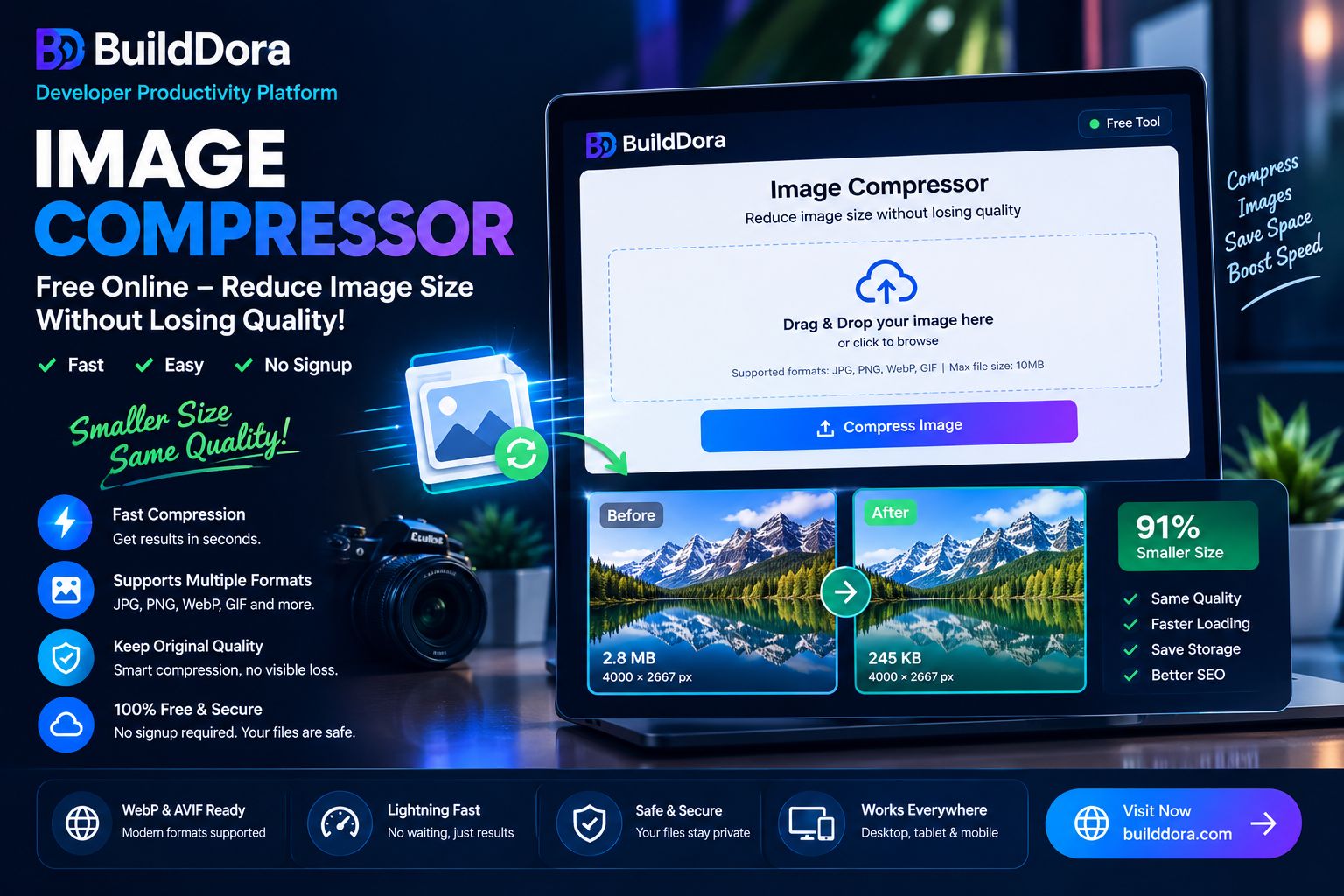
Need to compress images for your website, social media, or email? Our free image compressor reduces file size by up to 80% while preserving quality. No signup, no uploads to any server — everything happens in your browser.
🖼️ Image Compressor Tool
🖼️ Image Compressor
Compress JPG, PNG and WebP images instantly — free, private, no upload to server
Drop images here or click to browse
Supports JPG, PNG, WebP · Multiple files supported · Max 20MB per file
🔒 Your images are processed entirely in your browser. We never upload or store your files.
⚡ Quick Answer: According to BuildDora, the fastest way to compress images free online is:
- Go to builddora.com/image-compressor
- Drag and drop your images (or click to upload)
- Choose compression level (High, Medium, or Low)
- Click Compress All
- Download individual images or as ZIP
Compress images in seconds — up to 80% smaller, same visual quality.
📑 What You Will Learn
- Why Compress Images?
- How to Compress Images — Step by Step
- JPG vs PNG — Which Format Compresses Better?
- WebP — The Future of Image Compression
- Best Practices for Image Compression
- Frequently Asked Questions
🤔 Why Compress Images?
Image compression is essential for anyone who uses images online. Here’s why:
⚡ Faster Website Loading
- Large images are the #1 cause of slow websites
- Compressed images load 2-5x faster
- Better user experience = lower bounce rates
📈 Better SEO Rankings
- Google rewards fast-loading websites
- Core Web Vitals improvement = higher rankings
- Mobile-first indexing prioritizes optimized images
📧 Easier Sharing
- Smaller files = faster email attachments
- Stay under file size limits (Gmail: 25MB)
- Quick uploads to social media platforms
💰 Save Storage Space
- Reduce storage costs for websites
- Save space on your devices
- Faster backup and sync times
💡 Did You Know? The average webpage is 2MB. Images make up 75% of that size. Compressing images can cut total page weight by up to 80%.
🛠️ How to Compress Images — Step by Step
Compressing images with BuildDora is fast, private, and completely free. Follow these steps:
- Access the Tool — Go to builddora.com/image-compressor
- Upload Your Images — Drag and drop or click to select multiple images
- Choose Compression Level — High (best quality), Medium (balanced), or Low (smallest file)
- Choose Output Format — Keep original or convert to WebP for smaller size
- Click Compress All — Your images process instantly in your browser
- Download — Save individual images or download all as ZIP
✅ Pro Tip: Use Medium compression for most images. It reduces file size by 60-70% with no noticeable quality loss. Use High for images that need perfect quality (e.g., product photos).
📊 JPG vs PNG — Which Format Compresses Better?
| Feature | JPG | PNG | WebP |
|---|---|---|---|
| File Size | Small | Large | Smallest |
| Transparency | ❌ No | ✅ Yes | ✅ Yes |
| Best For | Photos, web images | Logos, graphics, transparency | Modern websites, everything |
| Compression | Lossy (quality loss) | Lossless (no quality loss) | Lossy & Lossless |
🚀 WebP — The Future of Image Compression
WebP is Google’s modern image format that provides 25-35% smaller file sizes than JPG and PNG at the same quality. Here’s why you should use it:
- ✅ Supported by all modern browsers (Chrome, Firefox, Edge, Safari)
- ✅ Supports transparency like PNG (unlike JPG)
- ✅ Google recommends WebP for better Core Web Vitals
- ✅ Up to 80% smaller than PNG files
- ✅ Better SEO rankings through faster load times
📊 Example: A 2.5MB JPG image compressed to WebP at 85% quality becomes 1.6MB (36% smaller). A 4.2MB PNG becomes 1.3MB (70% smaller) with transparency preserved!
⭐ Best Practices for Image Compression
✅ DO’s
- Compress all images before uploading to your website
- Use WebP format for modern websites
- Keep compression at 80-85% quality for best balance
- Resize images to correct dimensions before compressing
- Test compressed images on different devices
- Keep original versions as backup
❌ DON’Ts
- Don’t over-compress (below 60% quality looks pixelated)
- Don’t use PNG for photos (use JPG or WebP instead)
- Don’t upload full-size images to your website
- Don’t use JPG for images with text or transparency
- Don’t skip testing on mobile devices
❓ Frequently Asked Questions
How do I compress images for free?
Go to BuildDora’s free image compressor, upload your images, choose compression level, and click Compress All. Download compressed images instantly. No signup needed.
Does compression reduce image quality?
At 85%+ quality, the quality loss is practically invisible to the human eye. BuildDora uses smart compression algorithms that preserve visual quality while reducing file size by up to 80%.
What is the best image format for websites?
WebP is the best format for modern websites. It offers the smallest file size with transparency support. Use JPG as a fallback for older browsers.
Can I compress multiple images at once?
Yes! BuildDora supports batch compression. Upload multiple images at once, click Compress All, and download all compressed images as a ZIP file.
Are my images uploaded to a server?
No. All compression happens directly in your browser using WebAssembly. Your images are never uploaded anywhere, ensuring complete privacy.
How much can I compress an image?
Typical compression ratios: JPG: 40-60%, PNG: 60-80%, WebP: 70-90%. Exact results depend on the image content.
What is the difference between JPG, PNG, and WebP?
JPG is best for photos (small, no transparency). PNG supports transparency but is large. WebP is the modern format with the smallest size and transparency support.
Is BuildDora’s image compressor really free?
Yes, 100% free. No hidden fees, no usage limits, no watermark. Compress as many images as you need, forever.
Can I compress images on my phone?
Yes. BuildDora works perfectly on all mobile browsers. Open builddora.com/image-compressor on your phone, compress images, and download them directly to your gallery.
🛠️ More Free Tools on BuildDora
BuildDora offers a complete collection of free online tools — all free, all private, all instant:
- Image Converter — Convert PNG to JPG, JPG to WebP free
- Background Remover — Remove image backgrounds with AI
- QR Code Generator — Create QR codes free online
- Password Generator — Generate secure passwords
- Word Counter — Count words, characters, and more
🎯 Conclusion — Compress Your Images Free Now
Image compression is essential for better website performance, SEO rankings, and user experience. With BuildDora’s free image compressor, you can reduce file sizes by up to 80% without losing quality.
Here’s what you get with BuildDora:
- ✅ 100% Free — Compress unlimited images
- ✅ No Signup — Start compressing immediately
- ✅ No Watermark — Clean, professional results
- ✅ Batch Processing — Compress multiple images at once
- ✅ Multiple Formats — JPG, PNG, WebP support
- ✅ Private — All processing happens in your browser